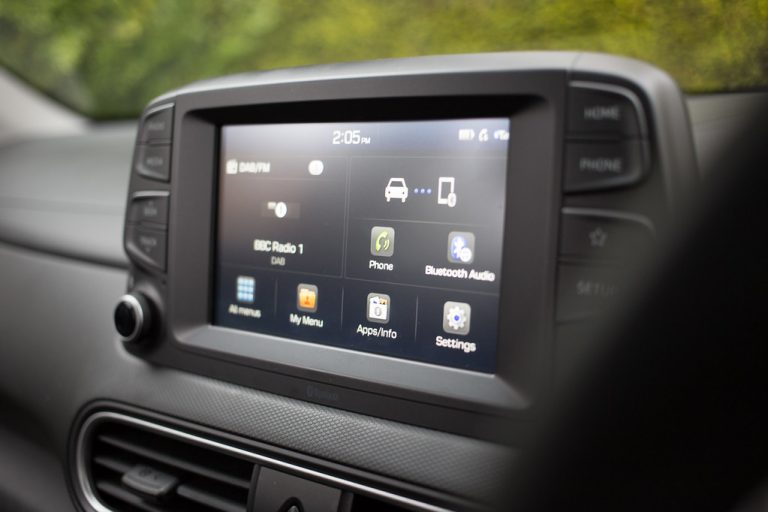
Touchscreen and digital-display problems in new vehicles climbed to 4.2 problems per 100 vehicles in 2025, up from 4.0 the year before, even as overall infotainment satisfaction improved — according to J.D. Power’s 2025 U.S. Multimedia Quality and Satisfaction Study (J.D. Power, retrieved 2026-08-13). That single number explains why the touchscreen itself — not the chassis it bolts into — is the part of an aftermarket head unit most worth researching before you buy.
A double-DIN opening will physically accept dozens of interchangeable units. What actually separates a good one from a frustrating one is the glass: whether it’s capacitive or resistive, how sharp the panel is, how it handles wireless CarPlay and Android Auto, and whether the voice assistant actually understands you at highway speed. This guide is built around those questions, not dash-opening dimensions.

Key Takeaways
- Capacitive touchscreens (glass, phone-like, multi-finger) have replaced resistive (press-to-register) panels on every unit worth buying in 2026 — if a listing doesn’t say “capacitive,” assume it’s resistive.
- Wireless CarPlay and Android Auto cut task time versus a car’s native infotainment: 24% faster to place a call, 31% faster to enter a navigation destination, per AAA Foundation for Traffic Safety research with the University of Utah.
- Screen resolution on aftermarket units tops out around 1280×720 (Alpine’s Halo11); most competitive 9-inch panels run 800×480 to 1280×720, with a handful of budget units still at 800×400.
- Touch lag is a real, measurable spec difference between processors, not just perception — slower chipsets visibly stutter when swiping between home screens or scrubbing a map.
- Not sure if your dash opening fits a touchscreen unit at all? See our guide to the best double DIN car stereos for fitment sizing before you shop by screen.
Wireless vs. Wired, Screen Resolution Tiers, and Touch Lag
Three variables decide whether a touchscreen radio feels premium or cheap, and none of them show up clearly on a retail spec sheet.
Wireless CarPlay and Android Auto
Wired CarPlay and Android Auto are more reliable and charge your phone while you drive; wireless is more convenient because you never plug in. Every unit in this guide supports both, which is now table stakes above roughly $250. The catch is connection stability: cheaper Wi-Fi Direct chipsets can drop the wireless link on longer drives or in radio-noisy urban cores, forcing a re-pair. If your dash has a USB-C port within reach, keeping a cable as backup is worth doing even on a wireless-capable unit.

Screen Resolution and Size Tiers
Screen size and resolution are sold together but are not the same thing, and a bigger panel with the same pixel count just looks softer. Three practical tiers show up across the current touchscreen radio market:
- Entry (6.2″–6.8″, 800×400 to 800×480): Fine for menus and CarPlay’s simplified tile layout, visibly soft for a reversing camera feed.
- Mid (6.8″–9″, WVGA to 1024×600): Where most 2026 double-DIN units land. Sharp enough for maps and album art at arm’s length.
- Flagship (9″–11″, up to 1280×720): Alpine’s floating Halo11 and Pioneer’s 9-inch NEX line sit here. Text and camera feeds are noticeably crisper, at a real price jump.
Capacitive vs. Resistive Touch, and Lag
Capacitive glass reads the electrical signal from your fingertip, supports swipes and pinch gestures, and is what every smartphone uses. Resistive panels need physical pressure between two flexible layers to register a touch — they work with gloves but feel mushy and imprecise, and they’ve mostly disappeared from head units released since 2023, with the notable exception of Sony’s XAV-AX4000. Touch lag is a separate issue: the delay between your finger landing and the interface responding. It comes down to the processor driving the display, and it’s the single hardest spec to find on a manufacturer page — owner forums and long-term reviews are usually the only place it shows up before you buy.
The Best Touch Screen Radios Worth Buying
Every price below is the manufacturer’s own published MSRP as of this writing; street prices at retailers commonly run lower. These are feature and interface comparisons based on published specifications, not hands-on installs performed by this shop.
1. Pioneer DMH-WT7600NEX — Best Large Display
Pioneer’s flagship pairs a 9-inch capacitive floating touchscreen with a customizable home screen, Amazon Alexa built in, and both wired and wireless CarPlay and Android Auto. The panel’s size is the draw: at 9 inches it’s noticeably easier to read maps and reversing-camera detail at a glance than the 6.8-inch units that dominate the mid-tier. MSRP is approximately $900.
Best for: drivers who want the biggest, sharpest screen available without stepping up to Alpine’s single-DIN floating design.
2. Kenwood DMX9720XR — Best Touch Responsiveness
Kenwood’s eXcelon flagship runs a 10.1-inch capacitive display with a garaged design that motorizes forward for a cleaner look. Owner and reviewer feedback consistently singles out how little lag the interface shows when scrolling between the customizable app screens — a function of the newer Cortex processor Kenwood moved to on this generation. MSRP is approximately $1,100.
Best for: people who interact with the touchscreen constantly and notice stutter on cheaper units.
3. Sony XAV-AX4000 — Best Anti-Glare Panel, Resistive Trade-Off
Sony’s 6.95-inch panel is genuinely easier to read in direct sunlight than glossier capacitive competitors, thanks to its anti-glare coating. The trade-off, confirmed in a bench review from BestCarAudio.com, is that the touch layer itself is resistive rather than capacitive — you’ll notice it most when trying to swipe rather than tap (BestCarAudio.com, retrieved 2026-08-13). MSRP is approximately $450.
Best for: convertible or high-glare climates where screen legibility outdoors matters more than swipe gestures.
4. JVC KW-M780BT — Best Budget Touchscreen
JVC’s 6.8-inch capacitive display brings wireless CarPlay and Android Auto down to a genuinely budget price point without falling back to resistive touch. It skips some of the higher-end EQ tuning and the built-in voice assistant found on pricier units, but the screen itself behaves like the flagships. MSRP is approximately $330.
Best for: a first touchscreen upgrade on a tight budget that doesn’t feel like a downgrade to use.
5. Alpine iLX-507 — Best Mid-Size Balance
Alpine’s 7-inch restyle-dash unit is built for vehicles with wide dash openings that don’t suit a standard double-DIN cutout. The capacitive display supports wireless CarPlay and Android Auto and Alpine’s own HD Radio and DAB tuning options. MSRP is approximately $650.
Best for: trucks and SUVs with restyle-style dash openings wider than a standard double-DIN slot.
6. ATOTO S8 Ultra — Best Value Android-Based Screen
ATOTO’s S8 Ultra runs a full Android OS on a 7 or 10-inch capacitive display (size-dependent SKU), which means it can run navigation, streaming, and voice-assistant apps natively, not only through a mirrored phone connection. Build quality trails the majors, but for the price, few units offer this much on-screen capability. MSRP starts around $400.
Best for: drivers who want app-native functionality, not just CarPlay/Android Auto mirroring.
7. Boss Audio Elite BE7ACP — Best Entry-Level Wireless CarPlay
Boss Audio’s Elite line brings wireless Apple CarPlay and Android Auto to a 6.75-inch capacitive touchscreen at one of the lowest price points that still avoids resistive touch. It’s a single-DIN-chassis unit with a floating-style panel, which affects install planning. MSRP is approximately $200.
Best for: the lowest entry price into wireless CarPlay without sacrificing capacitive glass.
| Model | Screen | Touch type | Wireless CarPlay/AA | Approx. price |
|---|---|---|---|---|
| Pioneer DMH-WT7600NEX | 9″ floating | Capacitive | Yes | $900 |
| Kenwood DMX9720XR | 10.1″ motorized | Capacitive | Yes | $1,100 |
| Sony XAV-AX4000 | 6.95″ anti-glare | Resistive | Yes | $450 |
| JVC KW-M780BT | 6.8″ | Capacitive | Yes | $330 |
| Alpine iLX-507 | 7″ restyle | Capacitive | Yes | $650 |
| ATOTO S8 Ultra | 7″–10″ | Capacitive | Yes | From $400 |
| Boss Audio Elite BE7ACP | 6.75″ floating | Capacitive | Yes | $200 |
Real Photos of Touchscreen Interfaces on the Road
Screen quality is easiest to judge by looking at real interfaces rather than marketing renders. Below are two widely used touchscreen infotainment platforms — the same CarPlay and Android Auto layers that run on every aftermarket unit above.
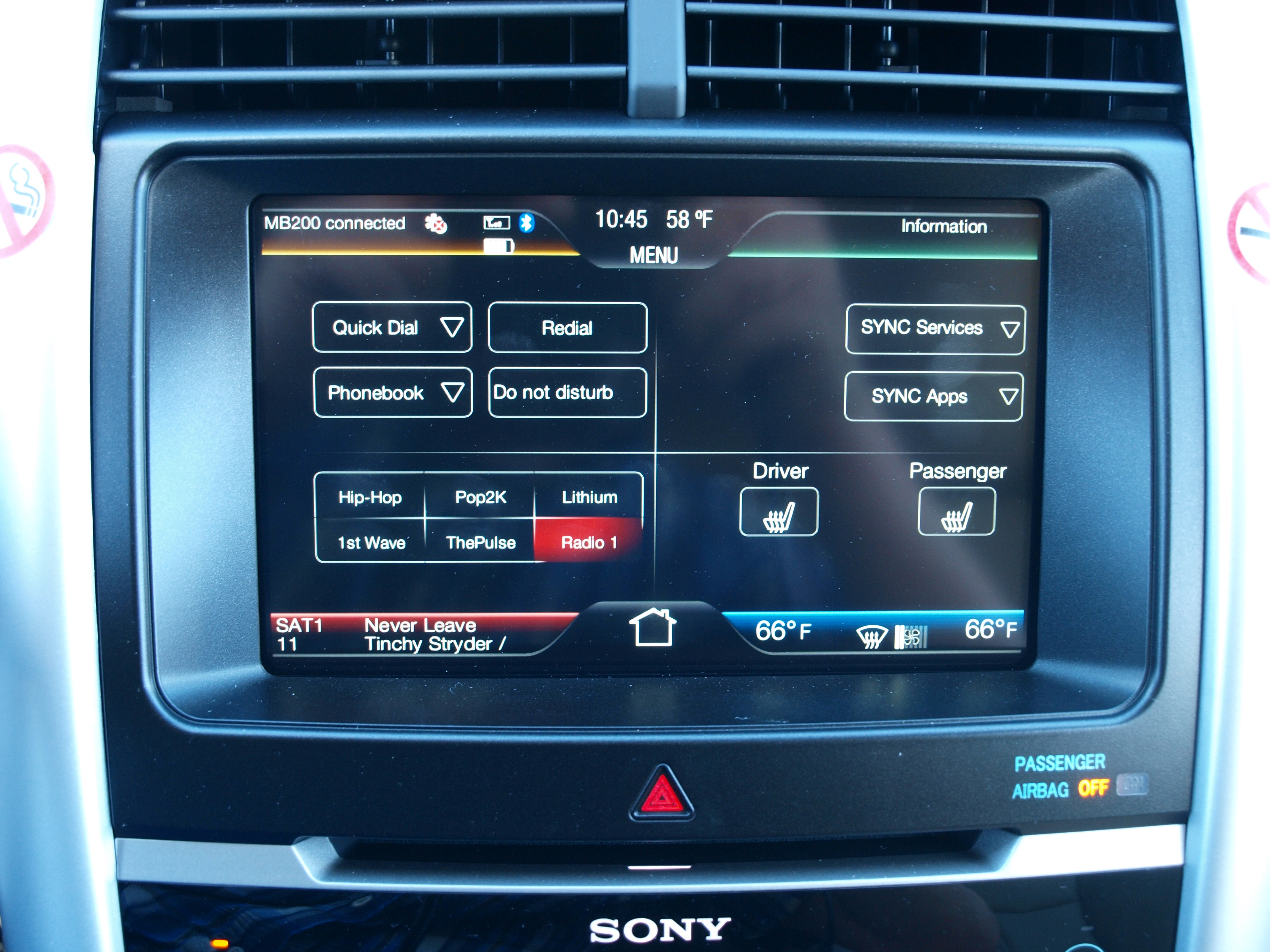
When you’re comparing units in a showroom or a friend’s car, the fastest test is a rapid double-swipe between home screens. A capacitive panel with a modern processor tracks your finger with no visible delay; a resistive panel or an underpowered chipset will noticeably lag or drop the gesture entirely.
Frequently Asked Questions
What’s the real difference between capacitive and resistive touchscreens?
Capacitive screens read your finger’s electrical signal and support swipes, pinches, and light taps — the same technology as your phone. Resistive screens need physical pressure to register a touch, work with gloves, but feel noticeably less responsive. Nearly every 2026-model touchscreen radio worth buying uses capacitive glass; the Sony XAV-AX4000 above is one of the few current exceptions.
Do I need wireless CarPlay, or is wired good enough?
Wired is more reliable and charges your phone simultaneously. Wireless is more convenient for short trips where plugging in each time is the friction point. All seven units in this guide support both, so the choice comes down to habit, not capability.
What screen resolution should I actually look for?
Anything below 800×480 will look visibly soft displaying a reversing camera or detailed map. Mid-tier units in the WVGA to 1024×600 range are sharp enough for daily use; only step up to a 1280×720 flagship panel like the Alpine Halo11 or Kenwood DMX9720XR if screen sharpness matters more to you than price.
Will touchscreen lag actually be a problem?
It can be, and it’s the hardest spec to find before buying. Cheaper processors visibly stutter scrolling between home screens or scrubbing a map timeline. Owner forums and long-term reviews are more reliable than spec sheets for spotting this; if you can, test the exact model in person before ordering.
Can I get a big screen without giving up chassis fitment?
Sometimes, but check both numbers. Some large-screen units, like the Alpine Halo11 mentioned in our double-DIN guide, mount on a single-DIN chassis with a floating display, while others need the full double-DIN opening height. If you haven’t measured your dash yet, our guide to the best double DIN car stereos covers chassis-size fitment in detail before you shop by screen features.
The Bottom Line
For most drivers, the JVC KW-M780BT or Boss Audio Elite BE7ACP deliver capacitive touch and wireless CarPlay/Android Auto without the flagship price. Step up to the Pioneer DMH-WT7600NEX or Kenwood DMX9720XR if screen size and touch responsiveness matter more than budget, and consider the Sony XAV-AX4000 specifically for its anti-glare panel if you drive in a high-glare climate and can live with resistive touch. Whichever you pick, confirm the touch panel type and test the swipe response in person before you commit — those two details predict daily satisfaction better than any spec on the box.
Getting Your Car Road-Ready in Keyport, NJ
A sharp new touchscreen makes the cabin feel new. A quiet, leak-free exhaust and brakes that stop straight make the drive safe. Discount Brakes and Mufflers has served Keyport and Monmouth County for over 40 years, and we repair rather than replace wherever the part allows — which is usually why our quotes come in lower.
Get a price in minutes with our instant estimate tool, read what is involved in muffler and exhaust repair, or contact our Keyport shop to book a time.
Note: this article is a buyer’s guide compiled from manufacturer specifications and published third-party bench reviews. Discount Brakes and Mufflers specializes in brakes, mufflers, catalytic converters and custom exhaust; we do not sell or install car audio equipment.